

 11
11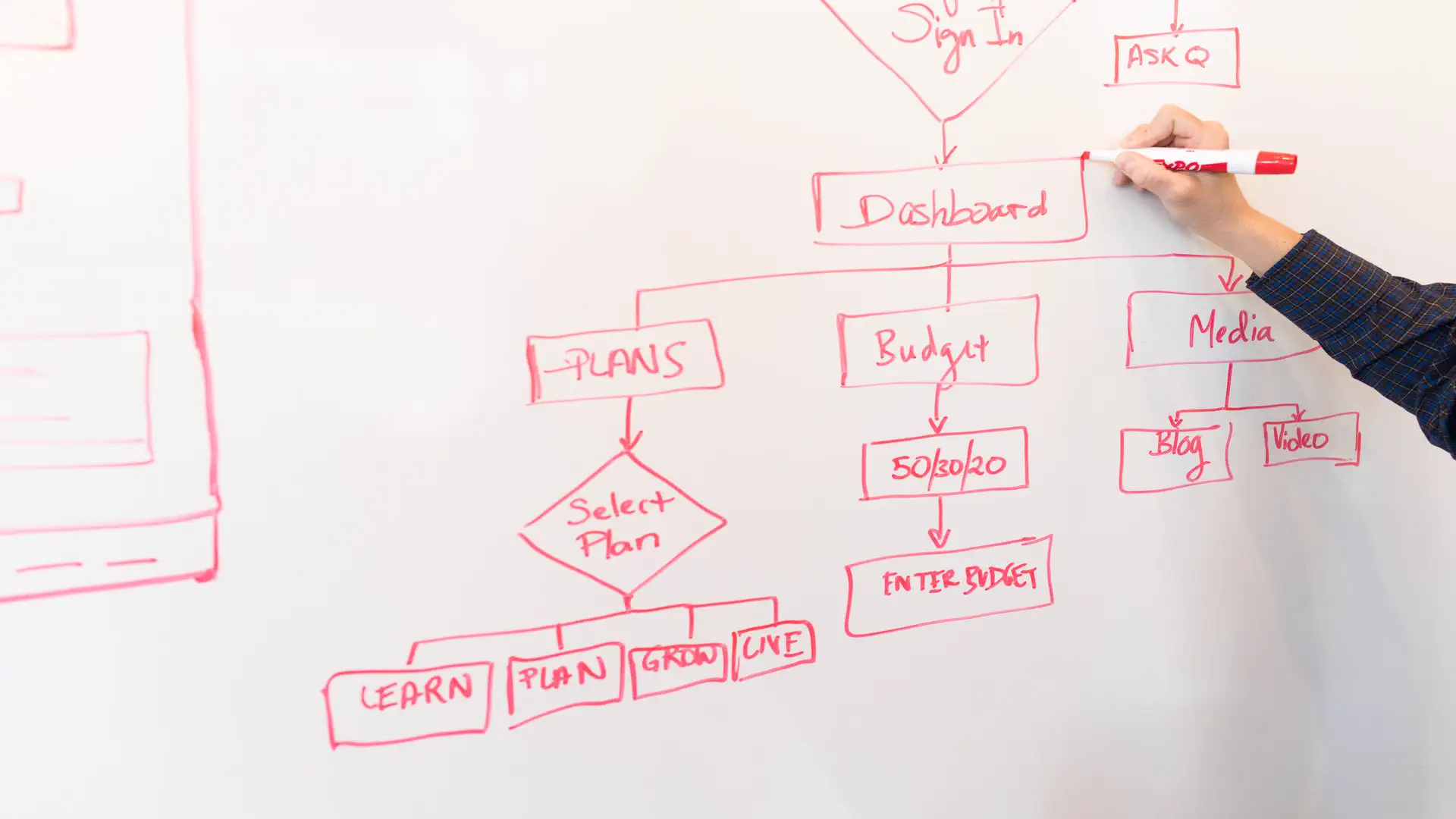
Every workday hides a silent time thief: repetitive tasks. Copying leads from forms into spreadsheets, sending the same status updates, chasing approvals, and updating project boards by hand each one a small job that quietly consumes hours every week. In 2026, AI workflow automation has become the most practical way to take that time back, and the biggest change is that you no longer need coding skills to use it.
No-code AI workflow automation tools let you connect the apps you already rely on Gmail, Slack, Notion, Shopify, Airtable, Google Sheets, and thousands more and build intelligent workflows that run on their own. The newest platforms go far beyond simple “if this, then that” rules: they combine classic workflow automation tools with AI agents that can read documents, summarize long threads, categorize requests, and make judgment calls. The result is task automation that genuinely feels smart. If you are starting from zero, our guide on how to build an AI automation workflow without coding walks you through your very first build step by step.
Three forces collided to make 2026 the breakout year for AI workflow automation. First, large language models became cheap and reliable enough to embed directly inside automation platforms, so AI steps now cost pennies per run. Second, virtually every major SaaS app opened robust APIs and shipped native AI actions, meaning your tools can finally talk to each other without custom code. Third, businesses under margin pressure started treating business process automation as a survival strategy rather than a nice-to-have. The outcome: no-code automation moved out of the IT department and into marketing, sales, HR, finance, and operations teams.
The real game-changer is Agentic AI. Older automations followed rigid scripts and broke whenever data looked even slightly unexpected. Agentic workflows can interpret a messy email, decide which branch a process should take, call the right tools to finish the job, and even ask a human for approval at critical checkpoints. Paired with modern AI developer tools and agentic AI coding tools for the technical pieces, teams can now automate processes that were previously considered far too judgment-heavy for machines — from triaging support tickets to drafting personalized sales outreach.
The economics are hard to ignore. A single well-built workflow automatically routing new leads, extracting invoice data, or compiling a weekly report can easily save five to ten hours a week. Multiply that across a team and the return on a modest subscription is measured in days, not months. That is why adoption of AI workflow automation keeps accelerating: it is one of the rare technologies where the payoff is immediate, measurable, and compounds as you add more workflows.
Resist the urge to automate everything at once. Start with one painful, repetitive process. The best first candidates share three traits: they happen often, they follow a predictable pattern, and they involve moving information between apps. An AI automation workflow shines brightest on exactly these tasks, because the AI can handle the unstructured parts reading, summarizing, categorizing while the platform handles the plumbing.
Here are proven first automations that teams love:
Pick the one that steals the most of your time, map its steps on paper, and you have your blueprint. This simple exercise is the foundation of every successful workflow automation tool rollout.
Not all workflow automation tools are equal, and the right choice depends on your technical comfort and budget. Zapier remains the easiest starting point, with the largest app library of over 7,000 integrations and AI features like natural-language workflow building. If you can describe what you want in plain English, Zapier can draft the workflow for you.
Make.com offers a visual, drag-and-drop builder that makes complex, branching scenarios far easier to understand than linear step lists. It is generally more affordable at higher volumes and gives you finer control over data transformation, which makes it a favorite for operations-heavy teams building serious business process automation.
For the technically curious, n8n is the open-source powerhouse. Its official documentation covers hundreds of nodes, AI agent workflows, and self-hosting options that give you full control over your data. Whichever platform you choose, look for three things: the apps you use natively supported, built-in AI steps (summarization, extraction, classification), and a generous free tier so you can experiment before paying.
Every no-code AI workflow automation follows the same anatomy: a trigger, optional AI processing, and one or more actions. The trigger is the event that starts everything: a new email, a form submission, a calendar event, a database row. Connect your apps by authorizing each one once; the platform stores the credentials securely so your workflows can act on your behalf.
Next, add the intelligence. A typical pattern looks like this: trigger fires, AI summarizes or extracts the key information, a filter or router decides what happens next, and actions execute, updating records, sending messages, creating tasks. Modern builders let you test each step with real sample data, so you can see exactly what the AI understood before anything goes live. Keep your first build to a trigger, one AI step, and two or three actions. You can always add branches and complexity later once the core flow proves itself.
Never launch a workflow on live data without testing. Run it manually with sample inputs, inspect every step’s output, and check the run history for failures. The most common issues are easy to fix: a filter that is too strict, a missing field mapping, or an AI prompt that needs clearer instructions. Treat your AI prompts like code; iterate on them. A prompt that says “summarize this email” is vague; one that says “extract the customer name, order number, and requested action as JSON” is a specification.
Once it works, add safety nets: error-handling paths that notify you when something fails, human-in-the-loop approval steps for sensitive actions like refunds or public posts, and rate limits so a misbehaving trigger cannot spam your team. Then let it run for a week and review the logs. Real-world data always reveals edge cases your tests missed, and a thirty-minute weekly review is the cheapest reliability insurance in no-code automation.
No. Modern no-code automation platforms are built for non-developers: you connect apps by clicking through authorization screens and build workflows with visual builders or plain-English descriptions. Knowing basic concepts like triggers, filters, and data mapping helps, but you can learn those in an afternoon. Coding only becomes useful at the far end: custom API calls and JavaScript steps, and most teams never need it.
For absolute beginners, Zapier wins on simplicity and the sheer number of integrations. Make.com is better once your scenarios get complex, thanks to its visual builder and pricing. n8n is ideal if you want open-source flexibility or need to self-host for data control. All three now include AI capabilities, so start with the free tier of whichever one supports the apps you already use.
It can be, with sensible precautions. Use platforms with SOC 2 compliance, connect via official OAuth integrations rather than sharing passwords, and avoid sending highly sensitive data through AI steps you do not need. For regulated industries, self-hosted options like n8n keep data inside your own infrastructure. As a rule, add human approval before any workflow touches money, legal documents, or public communications.
AI workflow automation tools without coding have turned automation from a developer-only superpower into an everyday productivity tool upgrade. In 2026, the barrier is not technical skill; it is simply deciding which repetitive task to eliminate first. Pick one painful process, choose a no-code platform, build a small trigger-to-action flow, and refine it for a week. The hours you reclaim will fund your next ten automations.
Ready to start? Follow our detailed walkthrough on how to build an AI automation workflow without coding, explore agentic AI coding tools when you are ready for more advanced builds, and check the Zapier, Make.com, and n8n documentation to compare platforms. Your future self, the one not doing data entry at 6 PM, will thank you.





One thought on “AI Workflow Automation Tools Without Coding in 2026”