

 11
11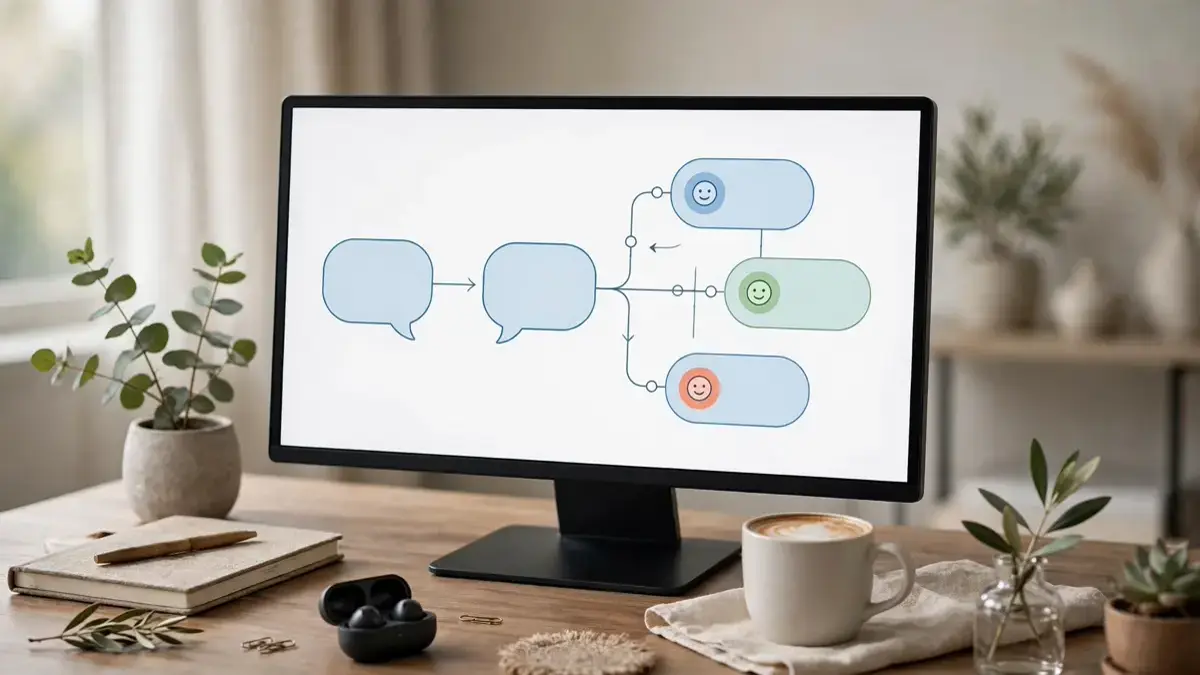
Imagine answering every customer question on your website instantly, day and night, without hiring extra staff or writing a single line of code. That is exactly what an ai chatbot builder without coding makes possible, and it is why thousands of small businesses, creators, and freelancers are adopting these tools in 2026.
If you have ever thought chatbots were only for big companies with developer teams, this guide will change your mind. We will cover what no-code chatbot builders do, how to choose the right one, and the exact steps to launch your first bot no coding experience needed.
An AI chatbot builder without coding is a visual platform that lets you create an AI-powered chatbot using drag-and-drop blocks, ready-made templates, and simple settings instead of programming. You connect the bot to your website content, help documents, or product pages, and the AI learns to answer questions in natural language.
Under the hood, these platforms combine a large language model with your own knowledge base. When a visitor asks a question, the bot searches your content for the best answer and replies in seconds. If it cannot answer confidently, a good builder hands the conversation to a human or offers to collect the visitor’s email so you can follow up later.
The best part is how fast you can go live. Traditional chatbot development used to take weeks of coding and testing, but a no-code builder compresses that into an afternoon. You can start free and upgrade only when your traffic grows.
Customers now expect instant answers, and businesses that make people wait lose sales. An AI chatbot builder without coding solves this problem without a developer budget. Modern AI models also understand context far better than the old rule-based bots, so conversations feel helpful rather than robotic.
Not every builder is equal, so check a few things before you commit. Look for easy training on your own content, a live-chat handoff for tricky questions, and analytics that show which questions your bot handles well. Also confirm the tool supports your website platform, offers a free trial, and lets you export your data if you ever switch.
Start narrow and expand slowly. A bot that answers ten questions perfectly earns more trust than one that answers fifty questions badly, so resist the urge to automate everything on day one. Once your bot handles the basics well, add one new topic at a time.
Write your source content the way customers actually talk. If your FAQ says “utilize our platform’s onboarding workflow” but customers ask “how do I get started,” the bot will struggle to match the question. Plain language in your help docs makes a dramatic difference.
Use the handoff feature generously. A chatbot that quickly connects a frustrated customer to a human is a success, not a failure. Set clear triggers — refund requests, complaints, and high-value sales questions — where the bot should step aside and let a person take over.
The biggest mistake is training your bot on thin or outdated content. If your pricing page is six months old, your bot will confidently quote the wrong price, and your customers will blame you, not the software. Update your knowledge base whenever your business changes.
Another common error is hiding the human option. Visitors who cannot reach a real person get frustrated fast, so always keep a visible “talk to a human” path. Finally, never let your bot invent facts — if it does not know an answer, a polite “I’m not sure, let me get help” protects your reputation far better than a confident guess.
No. If you can write a document and use a web browser, you can build a chatbot with a no-code platform. The builder handles hosting, AI training, and the chat interface for you. The only real skill you need is knowing your customers’ questions well enough to write clear answers.
Most platforms offer a free plan with limited conversations per month, and paid plans typically start around twenty to fifty dollars monthly for small businesses. Your total cost depends on how many chats your bot handles and which features you need, such as live-chat handoff or advanced analytics.
No — and it should not try to. A chatbot is best at handling repetitive questions instantly, which frees your human team for complex, sensitive, and high-value conversations. Think of it as a first line of support that works around the clock, not as a replacement for real people.
Review your bot’s conversation logs weekly, especially the questions it failed to answer. Add those answers to your knowledge base and correct any wrong replies you spot. Over time, this simple review habit is the single most effective way to keep accuracy high.
An AI chatbot builder without coding is one of the fastest, most affordable ways to give your visitors instant answers and win back hours of your week. Pick one clear goal, train your bot on accurate content, and keep improving it from real conversations. Explore our guides on AI text-to-speech tools and AI workflow automation — and start your first bot today.






One thought on “AI Chatbot Builder Without Coding: Beginner Guide”