11
11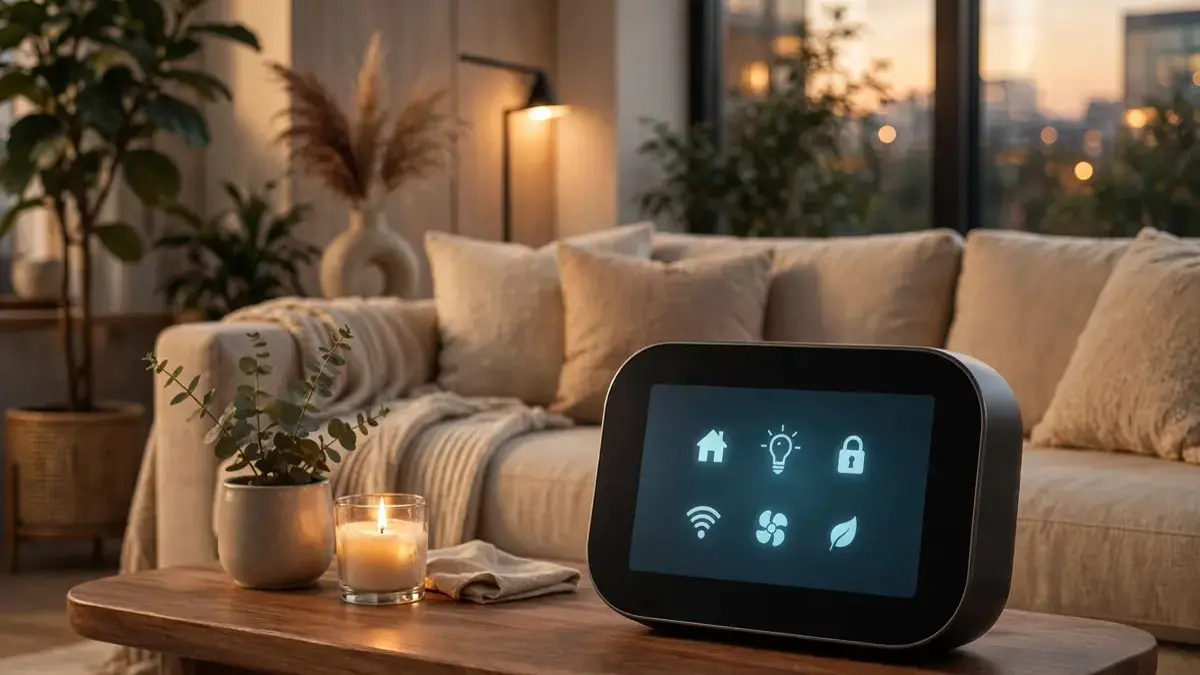
Apple has unveiled a new device that could change how we run our homes. The Apple HomeView Siri AI Hub is a smart-home hub built around a much more capable Siri, designed to act as the central brain for your connected home. According to Apple’s announcement on October 13, 2026, HomeView combines a display, a speaker, and deep Siri intelligence in one device.
If you already use an iPhone, a HomePod, or smart lights and locks, this announcement affects you directly. In this news explainer, we will cover what Apple announced, how the HomeView hub works, which features stand out, and what the launch means for your home without the speculation.
The Apple HomeView Siri AI Hub is Apple’s new smart-home control device, built to sit at the center of your home and manage your connected devices through voice and touch. HomeView is designed as a full hub: it shows your home’s status at a glance, lets you control lights, locks, cameras, and climate, and uses Siri to understand natural, conversational requests.
At the heart of the device is a new generation of Siri, built to handle multi-step and contextual requests. Instead of one command at a time, you can speak the way you naturally would, asking Siri to dim the lights, lock the front door, and set the thermostat for the night in a single flowing request.
The announcement positions HomeView as part of Apple’s broader smart-home strategy, alongside the Home app, HomePod, and Apple TV. Apple has not yet confirmed every detail; specific pricing, exact availability dates, and the full specification list are still emerging, but the core concept is clear: one friendly, AI-powered control center for the whole home.
The Apple HomeView Siri AI Hub centers on three ideas: a smarter conversational Siri, a visual home dashboard, and deep integration with the Apple ecosystem. According to the announcement, Siri on HomeView can manage routines, answer questions about your home, show camera feeds, and coordinate multiple devices at once. The hub also works with the Home app, so scenes and automations you already use carry over.
HomeView connects to your smart-home devices through the same standards your current Apple setup uses, including the Home app and supported smart-home protocols. When you speak, Siri interprets your request, checks the state of your devices, and carries out the actions — often several at once. A visual dashboard shows the status of each room, so you can confirm everything at a glance.
Name your devices clearly and consistently. Siri works best when your lights and rooms have simple, distinct names; “bedroom lamp” beats “lamp 3” every time. A few minutes of renaming saves endless confusion later, especially in a house full of gadgets.
Start with one or two routines and let them prove themselves. A goodnight routine that reliably locks the door and dims the lights is worth more than ten half-working automations. Once your core routines run smoothly, add more complex scenes one at a time.
Use the dashboard as a daily check-in. A glance at the screen each evening tells you whether a door is unlocked, a camera is offline, or a light was left on. That single habit catches most smart-home problems before they matter.
The most common mistake is buying a hub before checking device compatibility. Not every smart gadget works with Apple’s Home app, so verify that your lights, locks, and cameras are supported before you commit. A quick compatibility check saves money and frustration.
Another mistake is over-automating on day one. Complex routines with many conditions are hard to debug when something goes wrong. Start simple, test each automation for a few days, and only then layer on more complexity — one change at a time.
Apple unveiled the HomeView smart-home hub with Siri AI on October 13, 2026. Further details about pricing, specifications, and availability are still emerging and will be confirmed over time, so check Apple’s official newsroom for the latest updates as they are confirmed.
According to the announcement, HomeView acts as a central smart-home controller with a smarter conversational Siri, a visual home dashboard, and support for routines and automations. It manages lights, locks, cameras, climate, and more through voice commands and touch — all from one central device.
HomeView is designed to work with devices supported by Apple’s Home app and compatible smart-home standards. Before buying, check that your specific lights, locks, cameras, and thermostats are compatible with the Home app in your region and on Apple’s official compatibility pages.
A HomePod is primarily a smart speaker with Siri, while HomeView is positioned as a dedicated hub with a visual dashboard and deeper home-management features. Think of HomeView as a control center for your home, rather than just a speaker that takes commands.
The Apple HomeView Siri AI hub signals Apple’s biggest smart-home move in years: a conversational Siri, a visual dashboard, and one control center for your entire home. Details on pricing and availability are still emerging, so watch Apple’s official channels for updates. Explore our guides on AI workflow automation and AI text-to-speech tools to see how AI is reshaping everyday life.